


Leaderboard
4.2151.00 Reviews
App Specs
- Version
- 7.20
- Updated On
- License
- Free
- Downloads
- 10,000+
- Developer
- Dow Jones & Company, Inc.
- Categories
- Finance
- Platform
- Android
Screenshots
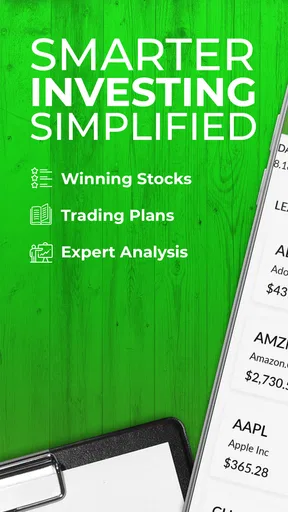
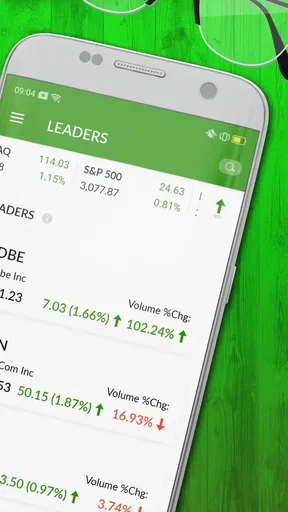
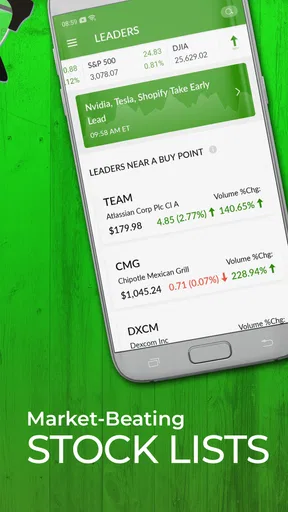
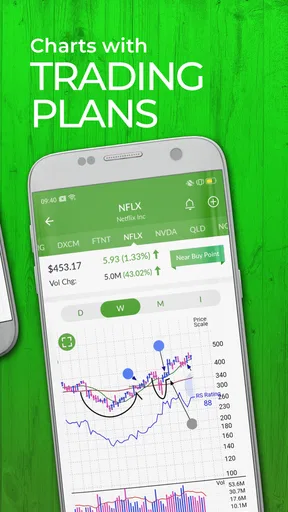
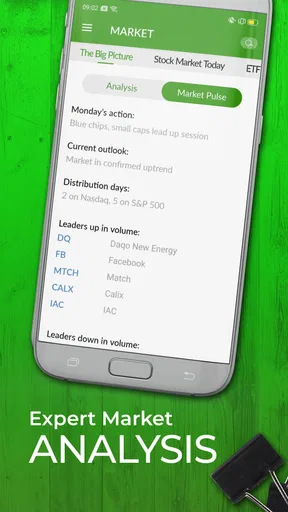
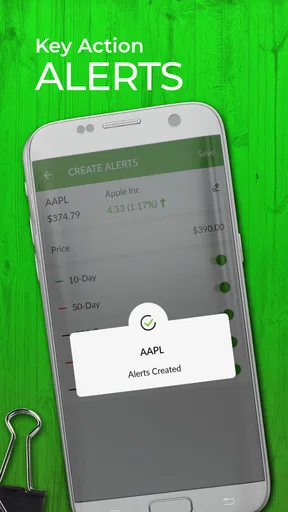
 Analysis by AppCompare
Before I decide whether a competition app deserves a place on my phone, I want to know what kind of competition it actually supports and what I can trust it to do. The name Leaderboard suggests a broad social challenge tool, but this is a finance app from Dow Jones & Company, Inc., not a general tracker for steps, reading, or hydration. Its focus is the stock-market research workflow, so it makes most sense for people who want a structured way to follow investment ideas rather than turn everyday chores into contests.
That distinction matters for expectations. I would not approach it as a replacement for a broker, a budgeting tool, or a universal personal-finance dashboard. Instead, I see it as a focused companion for following stocks and comparing investment ideas through Investor’s Business Daily’s Leaderboard service. It is free to install, but in-app purchases are listed at $69.99 per item, so I would check the subscription or purchase terms shown in the app before assuming that every part of the service is included at no cost.
What kind of investor is likely to benefit
I would expect the clearest fit to be someone who already follows individual companies and wants a more organized routine for reviewing candidates. If you keep a watchlist, read market commentary, and revisit the reasons you are considering a stock, a dedicated research environment can help keep those activities together. It is less compelling if you only want a quick quote or a simple account balance; your brokerage app may already handle those basics with fewer steps.
A useful way to approach any stock-selection service is to treat its ideas as prompts for your own research, not as instructions to buy. I would note why a company caught my attention, check whether the thesis still fits my goals, and compare it with information from sources I already trust. That habit makes a curated list more useful while helping me avoid mistaking a ranking or recommendation for a guarantee of future performance.
How it fits into a normal market-day routine
Imagine checking the market during a lunch break, when there is enough time to review a few names but not enough to read everything you have saved. A focused research app can make that session more deliberate: revisit the stocks you are tracking, compare what has changed, and make a note to investigate anything that needs more context. I would use that short check-in to decide what deserves attention later, rather than making a rushed trade from a phone screen.
That distinction is especially useful for people who follow markets during busy workdays. A compact mobile workflow can reduce the temptation to open several unrelated apps and lose track of why a company was on the list in the first place. On the other hand, if you need detailed chart work, spreadsheet comparisons, or a long read of financial filings, I would save those tasks for a larger screen and use mobile as the review-and-triage stage.
Speed expectations and heavier sessions
For a research app, the practical meaning of speed is not just how quickly a screen appears. I also care about whether I can move from a company I recognize to useful context without constantly restarting my search. Leaderboard is best judged by whether it supports a focused review session; I would not assume that a curated investment service should behave like a live trading terminal or provide every market tool in one place.
Worth Reading Before You Choose

Flipboard Shows What News Apps Must Do Beyond the Feed

Switching to Android Auto Means Rethinking Your Driving Routine

Google Calendar Makes a Crowded Week Easier to Manage

Ludo King Makes the Most of the Minutes Between Plans

Baby Panda World Brings Quick Play to Modern Phones, but Its Game Library Feels Busy

ESPN’s Live Game View Makes Following Close Games Easier
My advice is to keep a session narrow. Start with a small set of stocks you genuinely want to understand, then follow up on the ones that still look relevant. That workflow is easier to manage on a phone than trying to investigate a long list all at once, and it gives you a clearer sense of whether the app’s research approach suits you. If you routinely need several charts, news sources, and account screens open together, a desktop platform may be more comfortable.
Heavy use can also expose the difference between reading research and executing trades. I would not treat a delay, a ranking change, or a market move as a reason to act before checking the broader context. For quick monitoring, your brokerage may be more direct; for a considered decision, Leaderboard can sit alongside other research rather than replace it. The best choice depends on whether your priority is discovery, analysis, or placing an order.
Reliability, access, and what to check
I care about reliability in two ways: whether an app is dependable enough to revisit as part of a routine, and whether I can understand what I am looking at when a screen changes. With investment tools, stale assumptions can be more consequential than a minor interface annoyance. I would confirm that the information on screen is current before relying on it, and I would cross-check an important decision rather than treating one app as the whole picture.
If something does not look right, my first step would be to refresh the view and check the same company through another source before deciding whether the issue is a display delay or a change in the market. I would also avoid making an urgent trade solely because a phone notification or list position caught my eye. This is a calmer, more useful way to handle uncertainty than assuming every movement needs an immediate response.
Device fit and practical constraints
The app’s current version is 7.11.3, and its stated minimum operating-system requirement is version 7.0. That gives older devices a clear compatibility point to check before installation. For a comfortable research session, I would also consider screen size: a phone is handy for checking a few names, but a tablet or computer is easier when I want to compare several sources or read for longer.
Leaderboard is rated for Everyone 10+, and its average rating is 4.2 from 576 ratings, with 150 written reviews and more than 10K installs. Those figures provide some context about its audience, but they cannot tell me whether its research style matches my own. I would judge that by trying the mobile workflow and checking the purchase details before committing to any paid access.
The main device trade-off is convenience versus depth. A phone keeps research within reach, which is useful when I have a spare moment, but the same convenience can encourage distracted decisions. I would use it to keep my research organized and identify questions, then switch to a larger screen when I need to compare documents or think through a position carefully.
Getting Started with Leaderboard
Installing Leaderboard was a breeze. It’s available on both Android and iOS, so no worries about compatibility here. The interface is sleek and inviting, with a simple layout that even my tech-challenged friend could navigate without breaking a sweat. Once I had it up and running, I was prompted to create an account or sign in using my social media profiles. I opted for the latter, and within seconds, I was ready to dive into the fun.
The Concept: Turning Mundane into Exciting
So, what’s the deal with this app? Essentially, Leaderboard transforms everyday tasks and hobbies into competitive events. Whether it’s counting steps, reading books, or even drinking water, you can create or join challenges and compete with others. The app assigns points based on your performance, and these points determine your rank on the leaderboard. It’s fascinating how something as simple as a step count can become downright thrilling when there’s a leaderboard involved!
Features that Stand Out
The app offers a range of features that make it more than just a challenge tracker. Here are a few that I found particularly noteworthy:
- Custom Challenges: You can create personalized challenges tailored to your lifestyle. Want to see who can read the most pages in a week or who drinks more water daily? You got it!
- Community Engagement: With public challenges, you can compete against people from around the world. It’s a cool way to meet like-minded individuals and exchange tips.
- Achievements and Rewards: Unlock badges and rewards as you climb the leaderboard. These little incentives are surprisingly motivating!
- Integration with Other Apps: It syncs smoothly with fitness apps and even your calendar to pull in data automatically, saving you the hassle of manual entry.
My Experience: A Fun Way to Stay Motivated
I’ve been using Leaderboard for a couple of weeks now, and it’s genuinely added a fun twist to my routine. I created a challenge with my friends to see who could walk the most steps in a month. The competitive spirit kicked in, and we found ourselves taking extra walks just to climb higher on the leaderboard. It’s incredible how a bit of friendly competition can change your mindset!
Another cool aspect is the sense of community. Joining public challenges introduced me to a wider network of people who share similar goals. It’s not only about winning; it’s also about encouraging others, sharing progress, and celebrating small victories together.
A Few Things to Keep in Mind
While I’m loving the app, it’s not without its quirks. Occasionally, the syncing with other apps can be a bit slow. A couple of times, I noticed a delay in updating my progress, which was slightly frustrating when I was eagerly waiting to see my new rank. However, these hiccups were generally infrequent.
Another point worth mentioning is the battery usage. The app runs in the background to track activities, which can be a bit taxing on your phone’s battery life. If you’re like me and already juggling multiple apps, you might need to keep a charger handy.
Final Thoughts
Overall, Leaderboard is a delightful app that’s managed to make everyday tasks more exciting and engaging. It’s perfect for anyone looking to inject a bit of fun and motivation into their daily routine. Whether you’re competing against friends or strangers, the app provides a fantastic platform to challenge yourself and grow. Just be prepared to charge your phone a bit more often!
If you’re curious and want to give it a shot, I’d say go for it. The app is free to download, with optional in-app purchases if you feel like unlocking some extra features. So, what are you waiting for? Dive into the world of Leaderboard and see how high you can climb!
One important check before you rely on it
I would pause before acting on the earlier descriptions of step contests, social sign-in, badges, or fitness and calendar connections. Those are not a sound basis for deciding whether a finance app fits your needs. The confirmed role of this app is tied to Investor’s Business Daily’s Leaderboard, so I would assess it as an investing research product, not as a wellness challenge platform.
That also changes what I would look for during a first session. I would check how the app explains its investment ideas, what account or purchase choices appear, and whether the available material answers the questions I bring to it. The listed price is free to download, while in-app purchases are shown at $69.99 per item; I would read the actual terms carefully before choosing any paid option, especially if access renews or is tied to a particular service.
Who should use it, and who should look elsewhere
I can see the appeal for an investor who prefers guided stock research over starting with a blank search box. The app may be worth exploring if you want a dedicated place for the Leaderboard service and are comfortable evaluating ideas independently. It is a weaker match for someone who expects broad personal-finance features, such as budgeting, bill tracking, or a complete view of household accounts, because those are different jobs from researching stocks.
It is also not the right choice if your main need is a trading interface. A brokerage app is usually the more practical option when your immediate task is to check holdings or submit an order. A general market-news app may suit you better if you want a wide stream of headlines, while desktop research tools are preferable when you need room for charts and documents. I would use Leaderboard only where its particular research approach adds something to the rest of my setup.
A more disciplined way to use investment ideas
One practical tip is to write down the question you want answered before opening a stock-research app. For example: “What would make this company worth researching further?” That keeps a ranked list from turning into an unexamined shopping list. I would then compare the idea with my own time horizon and risk tolerance, and note what evidence would change my view. This small routine is useful even when the app’s selection process feels persuasive.
I would also separate discovery from decision-making. A candidate can be worth investigating without being suitable for my portfolio, and a strong-looking idea can still be wrong for someone who needs cash soon or cannot tolerate price swings. Keeping a brief personal note beside each research decision helps me remember why I considered a company instead of relying on the order in which names appear in an app.
Overall performance verdict
For performance, I would set expectations around a focused research companion rather than a high-speed trading tool. I cannot judge its stability, resource use, or recovery behavior from a feature description alone, so I would try it on my own device and see whether it remains comfortable during the kind of reading and checking I actually do. If a screen looks out of date or an action seems unclear, I would verify the information elsewhere rather than assume the app has captured every market change.
My bottom line is that the name may suggest a general competition app, but the useful decision is whether Investor’s Business Daily’s stock research belongs in your investing routine. The app is free to install, has an Everyone 10+ content rating, and is maintained by Dow Jones & Company, Inc.; those details help identify the product, but they do not replace a careful look at its paid options or research fit. I would try it if I wanted this specific style of investment guidance, and skip it if I needed a broad finance manager, a trading-first interface, or a tool that makes decisions for me.
Pros
- Intuitive user interface design.
- Real-time updates and notifications.
- Customizable leaderboards.
- Cross-platform compatibility.
- Secure user authentication.
Cons
- Limited offline functionality.
- Requires constant internet access.
- Occasional sync issues.
- Ads can be intrusive.
- Limited free features.
FAQs for Leaderboard
What is Leaderboard and what does it offer?
Leaderboard is a dynamic app designed to enhance competitive experiences by tracking and displaying scores, rankings, and achievements in real-time. It caters to events, games, and personal challenges, offering features like customizable scoreboards, analytics, and social sharing to keep participants motivated and engaged.
Is Leaderboard available for both Android and iOS devices?
Yes, Leaderboard is available for download on both Android and iOS platforms. Users can find it on the Google Play Store and the Apple App Store, ensuring compatibility with a wide range of smartphones and tablets, providing seamless integration for users regardless of their device preference.
Does Leaderboard require an internet connection to function?
While Leaderboard offers offline capabilities for tracking and displaying scores, an internet connection is required for features such as real-time updates, social sharing, and accessing global leaderboards. This ensures that users can share their achievements and access the latest features and improvements.
Can users customize the scoreboards in Leaderboard?
Yes, Leaderboard allows extensive customization of scoreboards. Users can personalize the appearance, set specific scoring rules, and choose how scores are displayed. This flexibility makes it suitable for various events, from casual games to professional competitions, enhancing user experience.
Is there a cost associated with using Leaderboard?
Leaderboard offers both free and premium versions. The free version includes basic features, while the premium version unlocks advanced functionalities such as detailed analytics, ad-free experience, and enhanced customization options. Users can choose based on their needs and budget.


